
It seems more and more frequent these days that pictures and videos that were not meant to be seen by the public is set loose in the wild and becomes the next big viral scandal in your neck of the woods. But wouldn’t it be so cool if you could keep your private pictures hidden on Android without fear of persons that may have access to your phone leaking them? Well this is not only possible but quite easy with an Android App called: keepsafe.
What is Keepsafe?
Keepsafe is a free virtual vault on android for storing all your personal pictures, yes you know the ones I am speaking of that you don’t want every one to see. It’s very safe and convenient as your sensitive and private pics are removed from the regular gallery were anyone could have seen them before.
The keepsafe vault is also password locked and cannot be opened without the pin that you choose. So no more showing friends pics and running into an embarrassing photo unintentionally.
How to get keepsafe setup and working for me?
Its simple:
1. Download the Keepsafe App from the PlayStore here.
2. The instillation process is pretty straight forward, simply follow the instructions.
3. Launch the App for the first time and choose your password or pin and the Vault or safe will be ready for your pics.

How to Move existing Pics to Keepsafe?
Moving existing sensitive pictures is quite easy:
1. Simply open your Picture Gallery and find the picture of your choice.
2. Then while the picture is being shown on screen you should see a task bar appear when the picture is taped once,click the share button that’s between the star and delete button.
3. You should now be in the share screen, simply find the Keepsafe App icon and click on it to move a picture to the protected safe away from those you don’t want seeing them.
OR
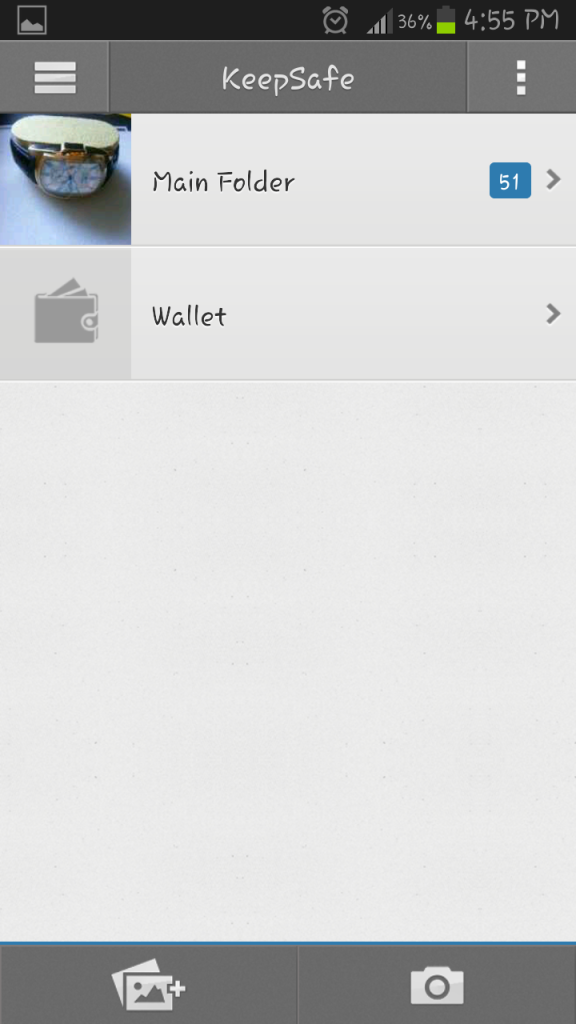
As an alternative you may open the Keepsafe App and on the home screen click on the picture with the plus to Add your pictures.
Snapping Pics that Go Directly to Keepsafe
This is easy, simply launch the App and at the Pin Pad screen there is a symbol of a camera for fast access, click on this and snap away and the pictures will go straight to your locked safe. The Camera can also be found on the home screen after Keepsafe is unlocked.
The Wallet Feature
This feature actually allows you to keep your ID’s and cards safe by taking pictures of them and avoids you always having to wip them out to draw for information on them. Best of all it’s safe as after three (3) failed pin attempts the wallet will delete itself. Quite handy if you ask me.
Advance Techniques
Note that these advanced features are only activated by the stealth package which is not free as the rest of the app and must be bought to activate.
If for some reason you have picture that you need to keep from someone and they are familiar with the keepsafe App, you can have two (2) safes within the one App that activated with two different passwords. In other words you can open your safe and show someone the contents or even give them the password, but you can have another hidden one that’s activated with another pin only you know (Wink,wink).
To do this:
1. Open Keepsafe.
2. From the home screen of keepsafe click the menu button in the upper left of the screen.
3.From the this menu select: settings.
4. Choose Fake Pin and follow the instructions. At this point you will have to buy the additional features if you need this particular ability.
Secret Door
Follow the steps above but instead of selecting the fake pin, select Secret Door so that you can hide the pin pad, which can only be opened by the secret method of long pressing the Keepsafe logo. Note that this additional feature is a part of the paid stealth package also.
If you have not notice it by now this App is quite handy and has features for everyone, best of all it’s main features are all free and should you require it there are premium features or extras that you can pay for which are added conveniences, but are not necessary unless you do need that feature in which case I would advise you to get it. But the App is so nice that it never arrases you or forces the premium features on you which is a good thing.
So if you haven’t downloaded Keepsafe yet you should right now.


🙂 How well did I do? Take a moment to leave a comment.