
Category: Android Tips
-
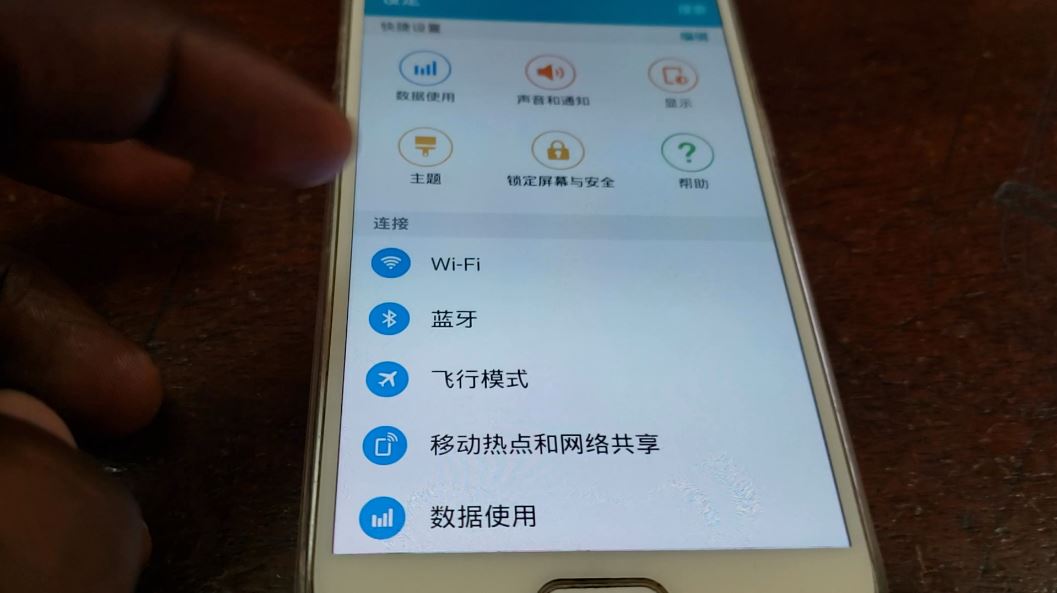
Change Phone language from Chinese to English
For today’s objective I will be showing you How to Change Phone language from Chinese to English. Do also note that this tutorial will work for any other language your phone might be in, to change it back to English. In most cases your phone is in another language as your kids or something caused…
-

How to Disable Read Caller Names Aloud Samsung Galaxy devices
So is your phone talking and reading out caller names aloud? is it annoying and you have no clue how it was turned on? On the other hand you may want to turn the Read caller name aloud on on any Samsung device as you like the feature. Well follow me as I show you…
-
Samsung One UI Improve battery Life
So today’s tutorial is on Samsung One UI Improve battery Life. So if you want to improve your battery life and have your device lasting longer then you will want to give the following tips a try. Please note that if you are having severe battery drain then you may want to check out our…
-
Samsung One UI Battery Drain Issue Fix
Today tutorial will be focused on the Samsung One UI Battery Drain Issue Fix. So if after updating to Android PIE or Android 9 with Samsung’s latest One UI you are having severe battery drainage then this Fix should help. The Issue: The issue in question results in Severe or massive battery drainage after a…
-
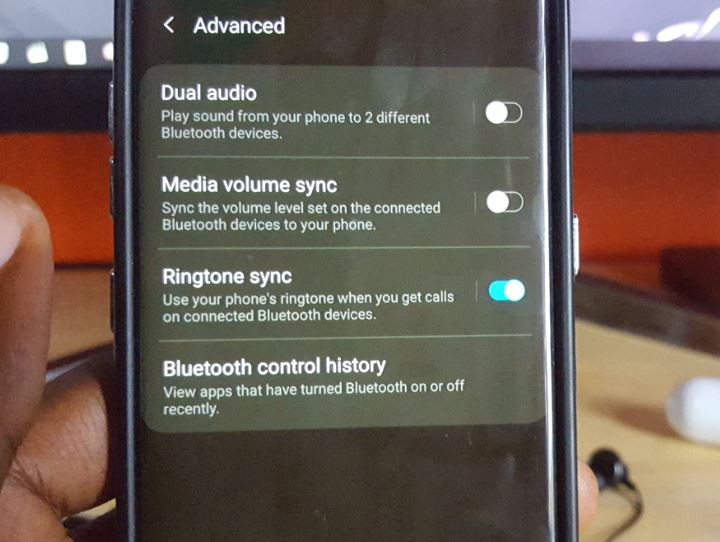
How to play music from two Bluetooth headphones on Samsung Galaxy at once?
Did you know that you can connect two headphones on Samsung Galaxy at once for playing music simultaneously? well you can. This is great for listening to music or other forms of media with a friend. Well with that being said today I will be showing you How to play music from two Bluetooth headphones…
-

Will a Regular Screen Protector work on the Galaxy S10 and S10+
A good question that allot of people have been asking as of late is Will a Regular Screen Protector work on the Galaxy S10 or S10 Plus? Well you don’t need to ask this question any more as this article will answer this and other concerns you may have regarding the Galaxy S10. The Answer:…
-
Google Keyboard Not showing up Fix
If you have the Google Keyboard installed but for some strange reason the keyboard is not showing up when you are attempting to type or input text then this fix should be for you. So join me as I show you how to Fix the Google Keyboard Not showing up or Google Keyboard has disappeared…
-

How to Enable the Swipe Keyboard on Samsung Phone Running Android 9
If you just updated to Android 9 PIE or you got a new device such as the Galaxy S10 you might realize you don’t have the swipe Keybord or the swipe to type feature in the Samsung Keyboard. This tutorial will show you How to Enable the Swipe Keyboard on Samsung Phone Running Android 9…
-

Lock Home screen Icons in Place Android PIE
Your Home Screen is a work of art as you have placed every icon in the perfect place and you know where to find them by instinct. The worst part is when you loan someone your phone or something happens and messes up the whole arrangement of the Layout of your Home screen. Learn how…
-

How to enable Night Mode Android PIE
So Android 9 or Android PIE has a new feature called Night Mode which turns the white background of menus to Black which make it easier on the eyes and great for reading at night. This dark Mode is a welcomed feature and one you may want to enable at night or use as a…