
I am sure you have encountered situations in which you connected your Android phone to your PC or Laptop and seen or found that the usb not recognized which makes it impossible to manage your device to add or remove files as you would like. This is really annoying as the solution to the problem may not be so apparent.
This is very similar as to when the issues occurs in Samsung Android devices as seen in this article here. But in other devices you will recognize that the solution is different and the same fix will not work thus this article that shows you additional steps that you can take in fixing the problem.
USB Not Recognized fix
Now if your device is Not recognized by the computer this is normally a software issue and you will need to try the solutions below until you find one that’s working:
1. Connect your phone using a reliable USB cable and once connected slide down the notification tray and Check the setting for USB computer connection and make sure it’s not set to camera but is on Media device (MTP).
You can also find it by going to settings,storage and click on the settings option in the upper right corner of the screen and select : USB computer connection and do as above by selecting the media device option.
or
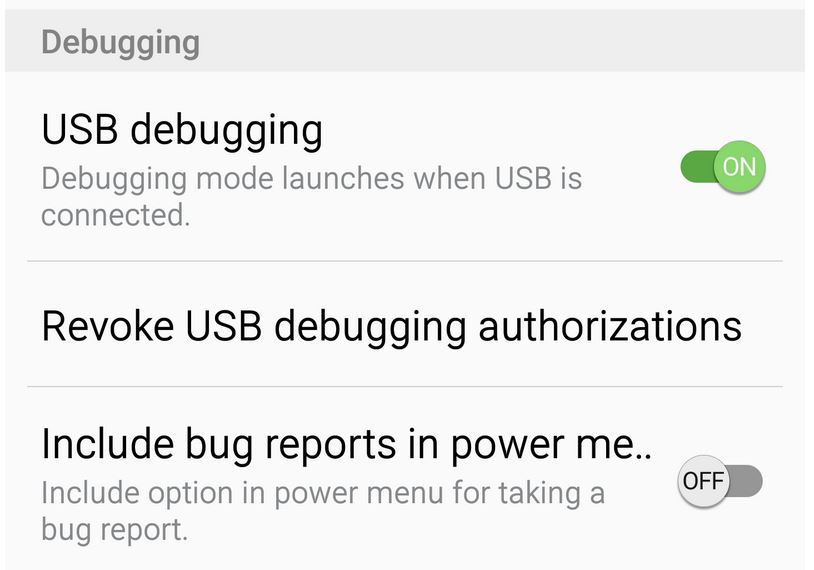
2. For this one you want to enable developer options as shown here and go into the developer option setting. If the setting is off you may need to enable it and check the option for :
–Android debugging: which will allow USB debugging.
–Revoke USB debugging authorization: Click OK to activate.
Once you are finished selecting the above two options and enabling them you can try reconnecting your device again and your phone should connect to your pc and become recognised.
or
3. If all else fails search for the model and brand of your Android phone and its drivers for Windows if you are using Microsoft windows then download and install it if its available.
You could also look if your phone has a management suit that works for your PC and your model phone these usually contain drivers and allows for easy management of your phone.I often get these from Manufacturer website such as Samsung, HTC and so on.
I do hope the above was more than enough to fix the USB not recognized issue so your computer can recognize your Android phone no matter the model. Please leave a comment below and do subscribe to the blog along with checking out some more articles on this website as we have plenty.


🙂 How well did I do? Take a moment to leave a comment.