
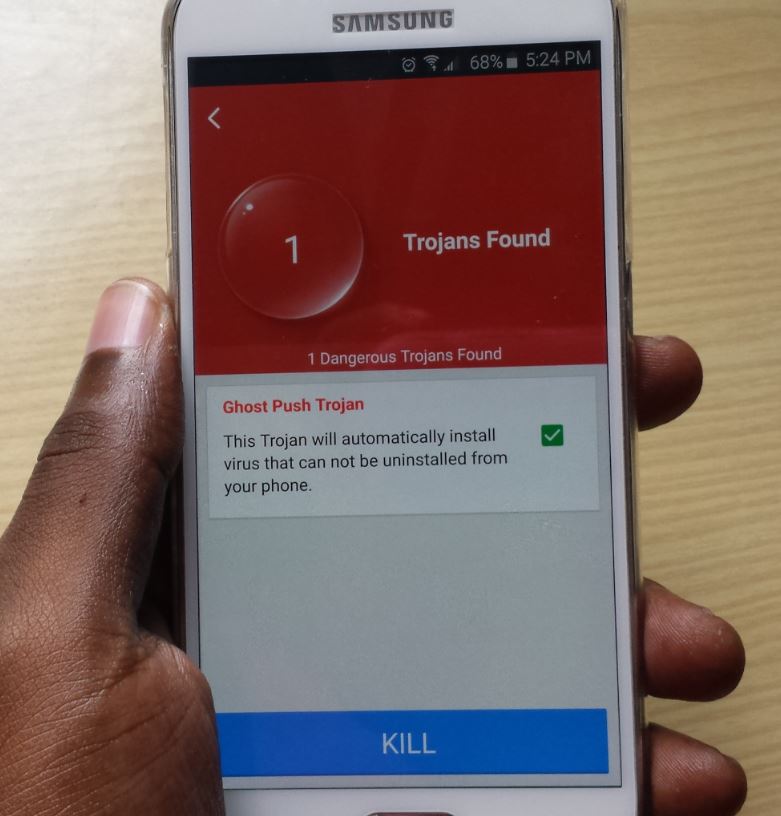
The strangest thing about Trojans or viruses such as Ghost push and other stubborn Trojans is that you could be infected right now and not even know it in some cases. These viruses have infected a lot of devices and in most cases have become quite the nuisance to many Android users who discover they have these viruses but have no clue as how to actually go about removing them from their devices.
How did you get infected?
If you like to install your Android apps from third parties by downloading .apk files or getting them from friends you are potentially putting yourself at risk as some of these files are infected. These viruses once on your device root themselves in and they can’t be removed under normal circumstances by traditional virus removal tools. Even resting the device will fail as they simply replicate themselves.
They can also download other malware and even show ads on your device without your permission.
What Trojans or Viruses Will this method remove?
This method will remove any stubborn Trojan you may encounter in most cases such as Ghost push Trojan, Root Nik Trojan,Porn or sexy Virus and much more malware that get unto your device and download further malicious apps or even display ads on your home screen.
How to remove Ghost Push and other Stubborn Trojans?
1. The first step is to start by rooting your device, if you have already then you have saved yourself some precious time and you can move on to step 2 below.
2. Next you will need to install the App: Stubborn Trojan killer or kill ghost push which can remove Ghost push and other hard to remove viruses like it.See how its done in the video below:
3. Once installed proceed to launch the App and grant Super User permission if asked then go ahead and start scanning, if it detects one of the many nasty Trojans then check the box and select kill and it will remove the virus that causing the issue and your device will be clean again.
Who ever though removing a Trojan could be so easy but with the correct tool its very simple as you have seen here, well if this was helpful go ahead and share the article, also please leave a comment and do me the honor of checking out a few more articles.


🙂 How well did I do? Take a moment to leave a comment.