
Category: How to
-

Enable Virtual Home Button on iPhone X or XS
If you are on the newer iPhone X or even XS variants you may miss the Physical Home button that was removed. The new design without a Home button can be difficult especially when you were accustomed to it over the years. Lucky you though it can be replaced with a virtual version that pretty…
-

Galaxy S10 stuck in Bootloop on the Samsung logo and won’t boot up
The issue of the Galaxy S10 stuck in Bootloop on the Samsung logo and won’t boot up is a very common occurrence. This is because over the years this has happened to all Samsung’s phones from time to time. This article will show you what to do step by step so you can have access…
-

How to Hide Private Pictures and Apps on the Galaxy S10
Every one has a bunch of pictures or a few Apps that they don’t want seen by everyone that may use their phone. If only there was a way to hide Private Pictures or Apps on the Galaxy S10 so that only the owner of the phone could see them. Well guess what there is…
-

Fix Windows 10 Login Screen Not appearing
If you did not know that this is actually a thing it is. Also guess what? you are not alone as this issue happens to a lot of people on the daily. The problem goes something like this: Either you power on your computer which can be a desktop, but most times its a laptop…
-

USB Port Not Working after Windows 10 Update Fix
Every now and again Windows will send out updates.While its important to keep windows up to date, it can be a serious issue when these updates causes Windows to stop working. I had one such issue recently when a Prompt all but Forced me to update as it indicated: “Restart and update to stay in…
-

How to Remove Lock Screen PIN or Password Galaxy S10
To unlock your Galaxy S10 you most likely have the Lock screen PIN or Password setup. If you would like to remove the PIN or password so a simple swipe is all you will need to unlock then follow these instructions. Also be aware that by doing this you will be essentially remove the security…
-
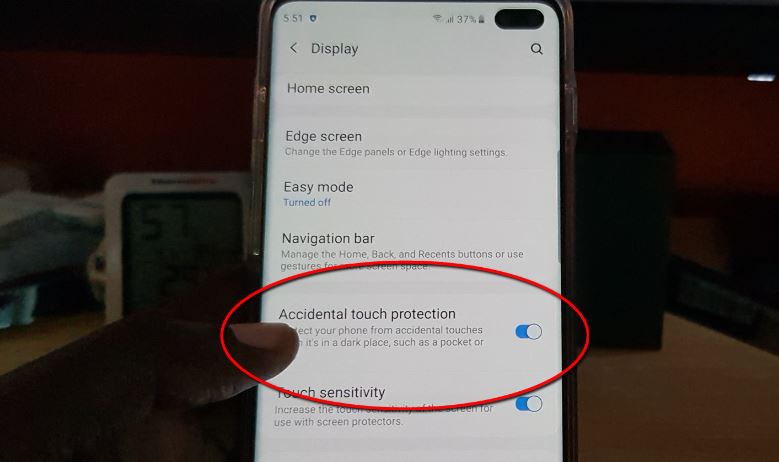
How to Disable or enable Accidental Touch Protection on the Galaxy S10
So have you ever had your phone in a pocket or bag and found later on that while it was there it accidentally unlocked and either changed a setting or worse it resulted in a person being dialed or called. Today’s guide will show you How to Disable or enable Accidental Touch Protection on the…
-
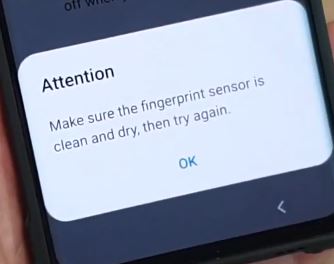
Fix Attention Make sure Fingerprint sensor is clean and dry Galaxy S10
This is how to Fix the Attention Make sure Fingerprint sensor is clean and dry Galaxy S10 problem. So if you have encountered this problem for the first see below for the solution to this issue right now. So guys don’t fret simply relax and take your time and try the suggestions given and you…
-

Galaxy S10 Plus is connected to network but no Internet connection Fix
Its a common occurrence that you may be Connected to the network but you have no Internet connection. In my experience you can be connected to say a WiFi network but you notice a exclamation symbol indicating that there is a problem. After this you tend to notice that you cant browse at all. The…
-

Fix No 4G LTE Signal on the Galaxy S10
If your Galaxy S10 has issues switching to 4G LTE then you will want to try our tips shown here. After all one of the advantages of having the Galaxy S10 is access to faster data speeds. So if your device is having issues in connecting at 4G LTE speeds to your carriers network then…