
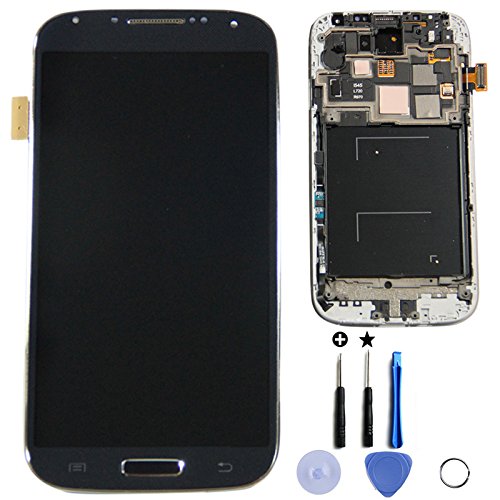
In this article I will be showing you how to fix an issue that happens allot to Samsung Galaxy branded Android devices such as the Galaxy S2,S3, S4,S5 or even the Galaxy Note 1,2,3,4 and above where you are having issues with a black screen and you are unable to fix or use your phone as we looked at here with this black screen fix. But for today I will be taking it a step further for those that the method in the article in the link above did not work for and show you another method for more severe cases that can be used to fix the Black screen issue of any Samsung galaxy.
Under what conditions should you attempt this fix
- You have already tried this fix and it did not work for you.
- You are having a black screen with nothing but the notification LED and sound but nothing on-screen.
- The touch is unresponsive and black and menu buttons light up.
- On startup the screen flickers with white and lines running throughout the display with different colors for a while then goes blank or black.
- You might have dropped your phone or it suddenly started to act this way.
Please remember before proceeding that you are responsible for your device and I will not bear responsibility for you breaking your phone. But rest assured that I will be as detailed as possible and know that this does work in most cases for any Samsung galaxy old or new models.
What will you need?
You will need all the following:
- A phone repair [easyazon_link asin=”B00E3CHLLC” locale=”US” new_window=”default” nofollow=”default” tag=”blogtechtips.com-20″ add_to_cart=”default” cloaking=”default” localization=”yes” popups=”default”]Screwdriver Set.[/easyazon_link]
- A [easyazon_link asin=”B00004TUCV” locale=”US” new_window=”default” nofollow=”default” tag=”blogtechtips.com-20″ add_to_cart=”default” cloaking=”default” localization=”yes” popups=”default”]Heat Gun[/easyazon_link] or a blow dryer.
How to fix the Samsung Galaxy black screen Problem?
In order to fix the Samsung Galaxy black screen issue on any Samsung Galaxy device (Note there might be slight variations with your Model Samsung Galaxy):
- Power off the phone and remove the back,the battery, SIM card and memory card.
- Look around the edges of your phone and use the screwdriver set to remove all the screws.Make sure you got them all before proceeding.
- Now separate the two halves of the phone carefully by separating the Samsung Galaxy at the two halves that hold the entire back on by getting your fingers or a prying tool into the groove and separating it all around until it separates into two halves. Tip: you may want to snap a picture with a camera to remember where everything goes as you proceed every now and again from here.
- In the upper portion when the back is off right were the camera is you should be looking at a PCB (Printed circuit board) or a communication board.
- Remove the clip on the ribbon cables on both sides, they should snap right off and lift the PCB right out, be careful not to short it out. Also look out for a snap on cable that runs along the edges and connects to the PCB that you are removing to the lower half of the phone.
6.With the PCB in hand separate the camera module by detaching it from the PCB.

7.From here use a Heat Gun or a blow dryer might work too and from a distance of about 3-5 inches away or so with the PCB placed on a work bench or table start heating the PCB, set the heat gun to low or its lowest setting possible, if it’s not adjustable then simply vary the distance between the heat gun and the PCB to get the desired effect.
8.Heat the PCB in a circular motion starting from the center and twirling outward from the center for about a minute, then flip the PCB to the other side and do the same for another minute.Be sure not to rest at one spot for more than a few seconds.
9.Be careful The PCB should be really hot to the touch right now, allow it to cool and reassemble the phone.
10.Power on and test your Samsung Galaxy once more.
To be on the safe side back up your contacts, picture and data to your PC when your phone comeback on.
Related articles
- Fix Black screen issue with Samsung Galaxy s6 and other Samsung Galaxy devices with non removable battery.
- Samsung Galaxy phone display Unresponsive or Black screen Fix
- How to open the Galaxy S6 and similar phones with non-removable battery.
What is Reflowing and why did it work?
Printed circuit boards contains pathway for electrical signals to run and what happens is that these pathways can become broken over time or by shock. When we heated the circuit board up we are able to melt the solder that broken in these pathways or that connects components to the circuit board by reflowing (Reflow) them or heating them up until they melt and they fill the gaps and reset after cooling resulting in the broken path ways being fixed which allows electricity or communication to be restored and thus your device start working again.
I hope this fix was able to help you in your situation do take the time to leave a comment below, it’s always great hearing from my readers and do share this article if it was useful as someone might be in need of it right now in order to fix their phone.


🙂 How well did I do? Take a moment to leave a comment.