
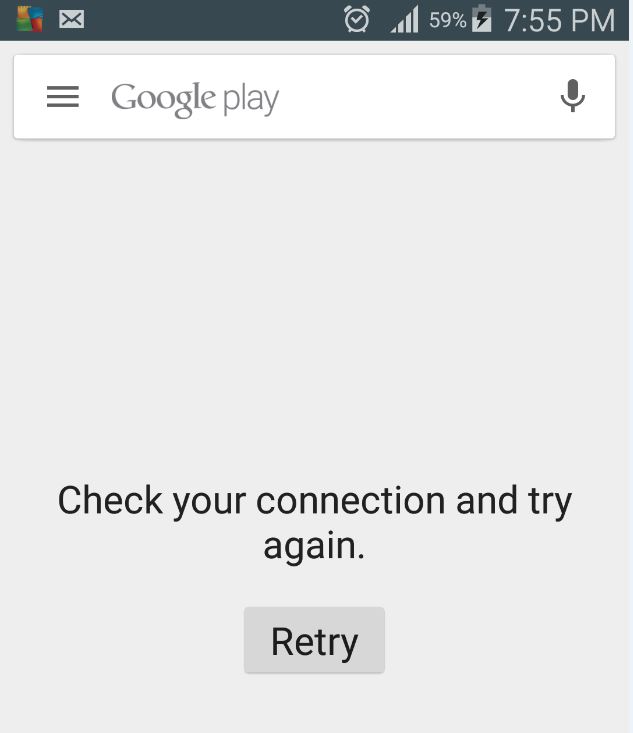
In today’s article I would like to look at an issue that has been happening more and more these days especially with the growing popularity of android and that is the issue of the Google Play Store no connection issue. The problem is that when you open the Google Play Store you are presented with a no connection notification despite your internet connection working fine but for some reason the Google Play store and other Google services will show a no connection error.
Now I know you realize how annoying this can be especially considering that this all but ruins your user experience and is down right frustrating for the end-user who has to put up with this especially if they do not know the reason for the error in the first place, read on for the solution:
How to fix the Google Play Store no connection problem
1. The first thing you need to do is to check the time and date to make sure they are correct along with your timezone, if they are not then set your device to the correct time. The authentication system on Android needs the correct time in order to work and if its incorrect this can cause the play store no connection error. To find the Time and date setting go to settings -then system section and look for date and time.
2.The second thing to try if the first solution did not work is to go into settings, Application manager and search for Google Play services under All and tap on it. Next under cache -clear the cache, this usually fixes the issue for most users.
3. If that still does not help delete or remove the associated Google account and set it up once more, you can find your accounts under setting and then Accounts then choose Google. If you are using a third-party app to manage account sign ins then also uninstall and reinstall that app and set it up once more which should fix the problem. Simply launch Play Store and try to login again when prompted.
Related Articles:
Unfortunately App has stopped Fix
Unfortunately the Process com.google.process.gapps has stopped Fix
There is insufficient space on the device fix
How did this Fix my device?
For the most part this fix works because you were either able to correct the date so that the android authentication system could work properly once more or a simple build up of data by the play store in its cache was causing a conflict as with most devices that have been used over a long time. A smart move to prevent this in the future is to use a App such as “Clean Master” to occasionally clean junk files from your device to keep it running and avoiding issues such as this in the future.
I hope I was able to help in fixing the Google Play Store no connection problem with your Android device, if you have a question or would like to share your thoughts please use the comments below and confider subscribing or checking out our other articles.


🙂 How well did I do? Take a moment to leave a comment.